Google Play Screenshot Sizes and Requirements
Google Play screenshots must be JPEG or 24-bit PNG without alpha, with each side between 320 and 3,840 pixels and the long side no more than 2.3 times the short side. A listing needs at least two, and each device type takes up to eight. Google recommends at least four at 1080 × 1920 pixels or larger. The feature graphic is 1024 × 500 pixels. Checked on 29 November 2026.
Make my Play setHow the Play generator works
Phone screenshot sizes and format
Google Play gives phone screenshots a range to stay within, and it keeps what is required apart from what is recommended. The required rules decide whether Play Console takes the file. The recommended ones decide whether the screenshot can appear in Google's larger promotional formats.
| Phone screenshots | Size and format | How many |
|---|---|---|
| Required |
| A store listing needs at least two screenshots across device types. Phones take 2 to 8. |
| Highly recommended for apps |
| At least four screenshots, to be eligible for recommendation formats that use screenshots. |
| Highly recommended for games |
| At least three landscape or three portrait screenshots that show gameplay. |
A 1080 × 1920 image is the smallest size that meets the recommendation for portrait, which is why it is the usual export size for a Play phone set.
What is required and what is only recommended
Google's page states that requirements are mandatory and that failing them can lead to removal or suspension from Google Play. The guidelines it calls highly recommended work differently: ignoring them does not affect your store listing page, but it may change how your assets appear or limit promotional opportunities.
- Required: at least two screenshots, JPEG or 24-bit PNG without alpha, each side 320 to 3,840 pixels, long side no more than 2.3 times the short side, and a feature graphic.
- Highly recommended: four or more screenshots at 1080 pixels or larger in a 9:16 or 16:9 ratio, real in-app footage, text that stays readable on a phone, and alt text for every image.
Feature graphic size
The feature graphic is 1024 pixels wide and 500 pixels high, and every store listing needs one before it can be published. Google shows it as the cover of your preview video and in large-format collections of apps, including ads.
| Graphic | Size and format | When it is needed |
|---|---|---|
| Feature graphic |
| Required to publish a store listing. Also used as the cover of your preview video. |
| TV banner |
| Required only for apps published to Android TV. |
Google's advice for the graphic is specific. Keep the focal point near the centre, because the edges can be cut off in some layouts. Avoid pure white, black and dark gray, which blend into the Play Store background. Do not repeat your app icon as the main element, since the icon is already shown next to it.
Tablet, Chromebook and foldable screenshots
Large screens have their own sections in Play Console, and each one has a minimum number of images. Tablet and Chromebook screenshots should leave out added text that is not part of the app, because Google says it can be cut off on some Play home pages.
| Device type | Size and format | How many |
|---|---|---|
| Tablets and Chromebooks |
| A minimum of four screenshots that show the in-app experience on a large screen. |
| Foldables |
| 3 to 8 screenshots, added in the Foldable Screenshots section of the store listing. |
Wear OS, Android TV, Automotive and XR screenshots
The other Android device types each have a short rule of their own. Wear OS is the strictest about content: only the app interface, with no frame, text or background around it.
| Device type | Size and format | How many |
|---|---|---|
| Wear OS |
| At least one. Only the app interface: no device frame, added text or background. |
| Android TV |
| At least one TV screenshot before you can publish. |
| Android Automotive OS |
| If you provide them: at least two portrait and two landscape. |
| Android XR |
| 4 to 8 screenshots. |
What Google asks you to leave out
Google's highly recommended list names several things to keep out of screenshots and the feature graphic. They are worth knowing before you design a set, because most screenshot layouts add captions.
- Words that suggest performance, ranking, awards or price, such as Best, #1, Top, New, Discount, Sale or Million Downloads.
- Calls to action such as Download now, Install now, Play now or Try now.
- Device imagery, which Google says can become obsolete quickly or alienate some users.
- Taglines that take up more than 20% of the image, or text too small to read on a phone.
- People interacting with the device, such as a finger tapping the screen.
- Time-sensitive content, another store's badge, and third-party characters or logos used without permission.
- Notification bar clutter. Google asks for no service provider names or notifications, and full battery, Wi-Fi and signal icons.
Using App Store screenshots on Google Play
An App Store image usually passes Google Play's required rules, because Google accepts a range of sizes. A 1320 × 2868 pixel image has sides inside the 320 to 3,840 pixel range, and its long side is about 2.17 times its short side, under the 2.3 limit.
Two things still differ. The image is not 9:16, the portrait ratio Google recommends for its promotional formats. And a set designed for the App Store often carries a phone frame and a large caption, which fall under the elements Google suggests avoiding. Going the other way rarely works at all: Apple accepts only the exact sizes on the App Store screenshot sizes page, and 1080 × 1920 is not one of the current iPhone sizes.
Making a Google Play set
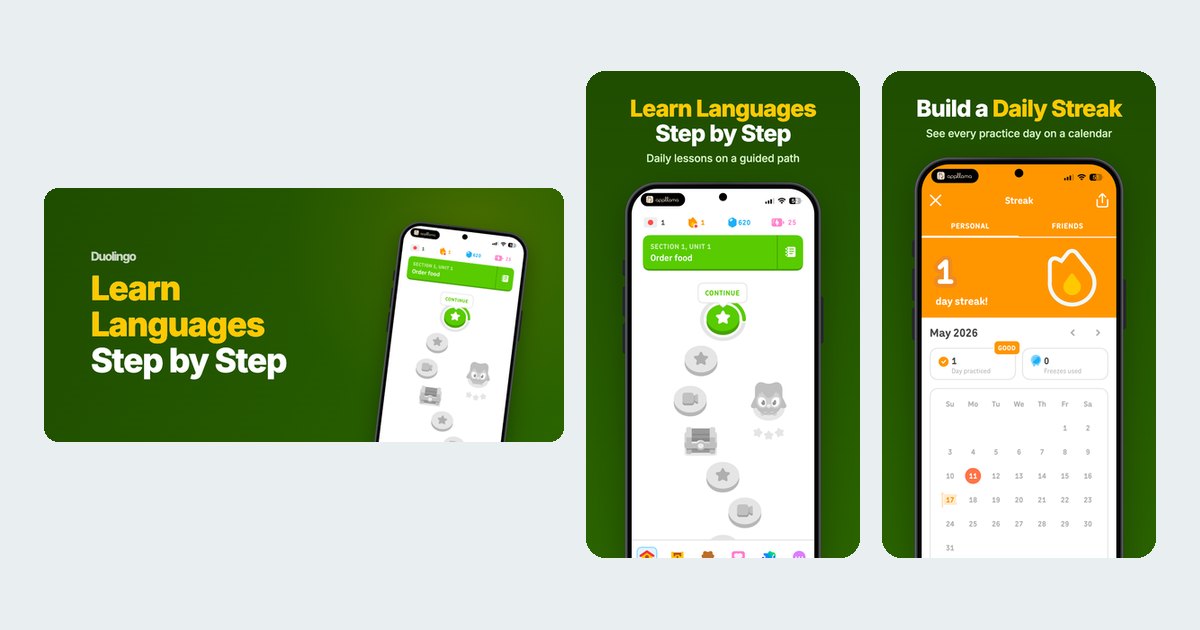
appscreenshot.io exports Google Play phone screenshots at 1080 × 1920 pixels and the feature graphic at 1024 × 500 pixels, as PNG files without alpha, from the same project that makes your App Store set. The Google Play screenshot generator page shows real exports, including a layout without a phone frame. To make a set from your own screens, open the editor.
What this page does not cover
This page is about the size and format of Google Play images, taken from one help page on one date.
- It does not cover preview videos, the app icon or the short description, which sit on the same Google help page.
- It does not cover Google's Developer Program Policies, which decide what your images may show.
- Google updates its help pages without notice. The date at the top is the last day we compared this page with Google's; Play Console is the final word.
- appscreenshot.io makes phone screenshots and the feature graphic. It does not make tablet, Chromebook, foldable, Wear OS, TV, Automotive or XR sizes.
Questions and answers
What size should Google Play screenshots be?
Any size with both sides between 320 and 3,840 pixels, where the long side is at most 2.3 times the short side. Google's recommended minimum for a portrait phone screenshot is 1080 × 1920 pixels, and 1920 × 1080 pixels for landscape.
How many screenshots does Google Play need?
At least two to publish a store listing, and up to eight for each supported device type. Google recommends at least four of 1080 pixels or more for apps, and at least three for games.
What is the Google Play feature graphic size?
1024 × 500 pixels, as a JPEG or a 24-bit PNG without alpha. Google requires a feature graphic to publish a store listing.
Can I use the same screenshots for the App Store and Google Play?
An App Store image of 1320 × 2868 pixels is inside Google Play's pixel limits, so Play Console accepts it. It is not 9:16, though, which is the portrait ratio Google recommends, and Google's guidance on device imagery and taglines is stricter than Apple's. The reverse rarely works, because Apple only accepts its own exact sizes.
Does Google Play allow phone frames and captions on screenshots?
They are not forbidden. Under its highly recommended guidelines, Google lists device imagery among the elements to avoid and says taglines should be added only if needed and take up no more than 20% of the image. Not following them does not affect your store listing, but it can limit where Google promotes your app.
Do Google Play screenshots need alt text?
Google asks you to include alt text with each screenshot and with the feature graphic, in 140 characters or less, for people who use screen readers.
Sources
- Add preview assets to showcase your app, Google, Play Console Help. Read on 29 November 2026.
- Screenshot specifications, Apple, App Store Connect Help. Read on 29 November 2026.
Get phone screenshots and the feature graphic from your raw screens.
Make my Play setPublished by the appscreenshot.io Team. Found a mistake? Write to hello@appscreenshot.io.