App Store Screenshot Examples by Category
This page shows App Store screenshot examples in six categories: the first three screenshots of the three top-grossing apps in Health & Fitness, Finance, Productivity, Travel, Education and Food & Drink on Apple's US chart on 28 November 2026, each with a note on what its first screenshot does. It also shows four sets made with appscreenshot.io from real apps' screens.
Copy a lookOr start from a template
Sets made with appscreenshot.io
These four sets are real exports from appscreenshot.io, each made from an app's own in-app screens. Three copy the look of another app's set, and one uses a ready-made template.
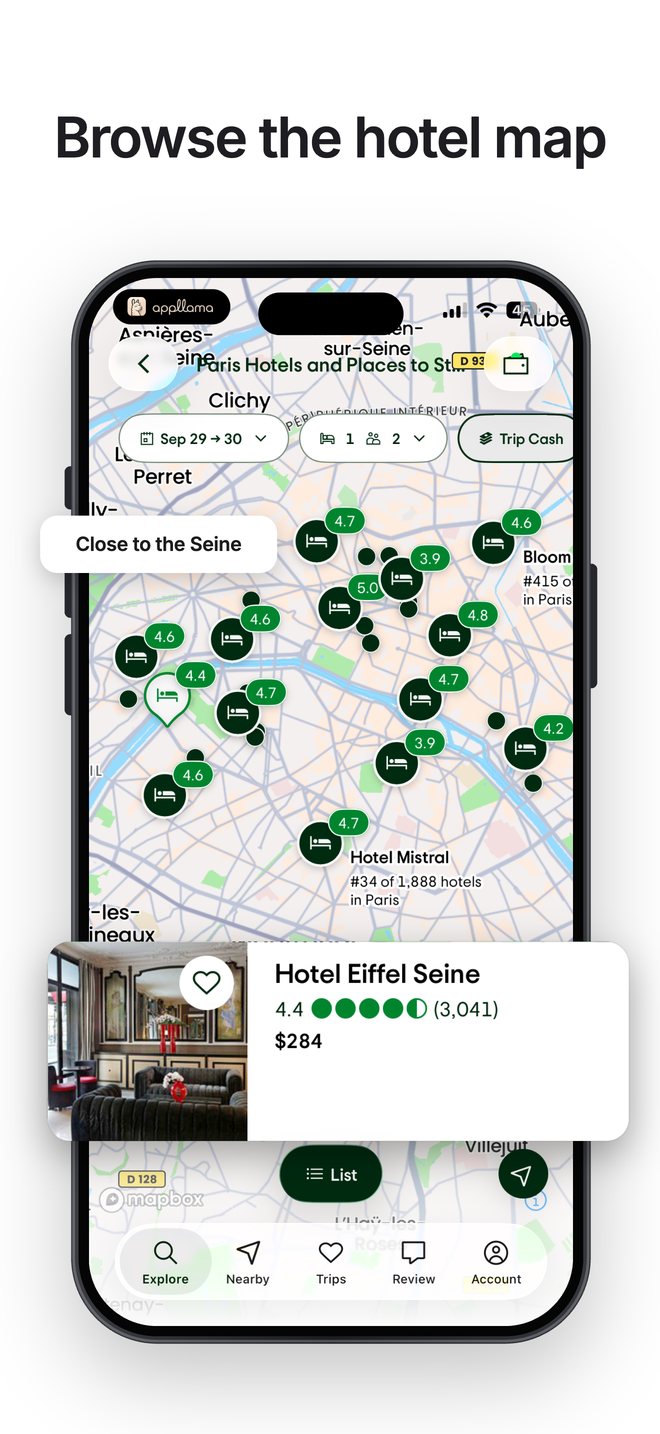
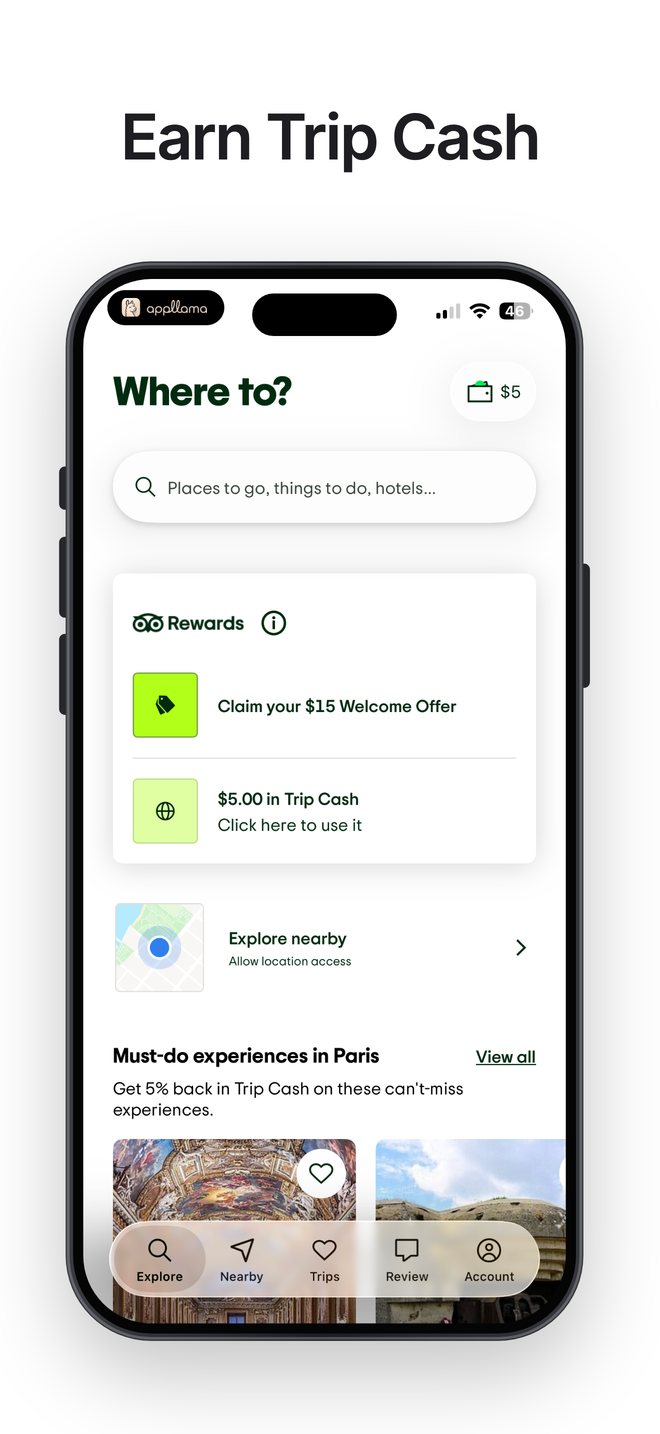
Tripadvisor in the look of Cal AI
The first slide shows the hotel map, with one hotel card pulled out of the phone as a callout. The white background, the short headline and the pop-out details come from Cal AI's set.
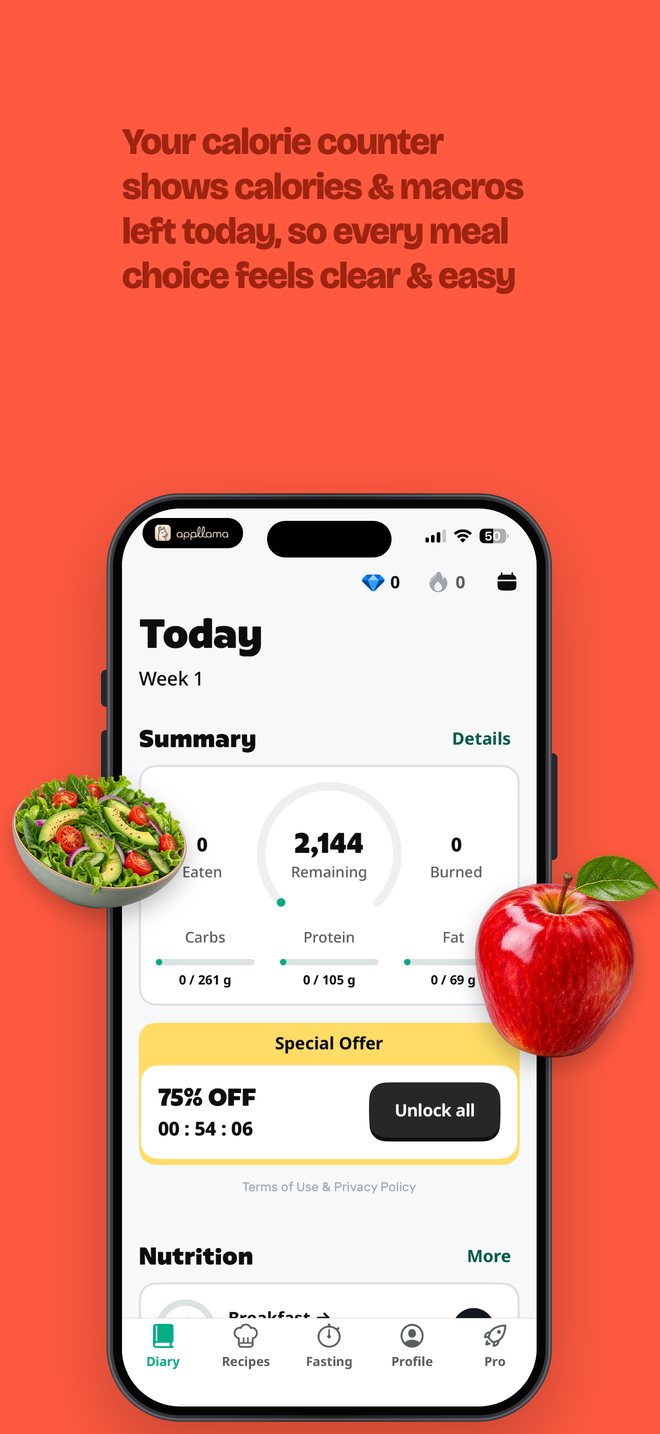
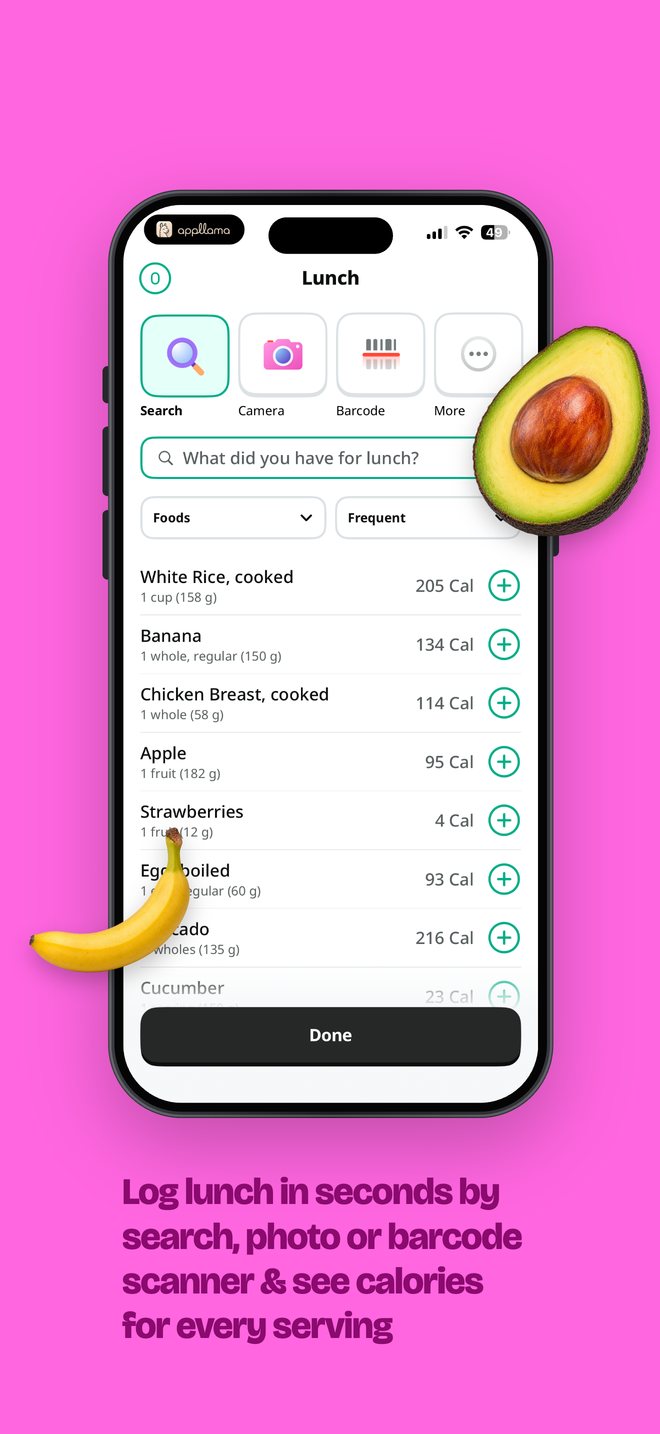
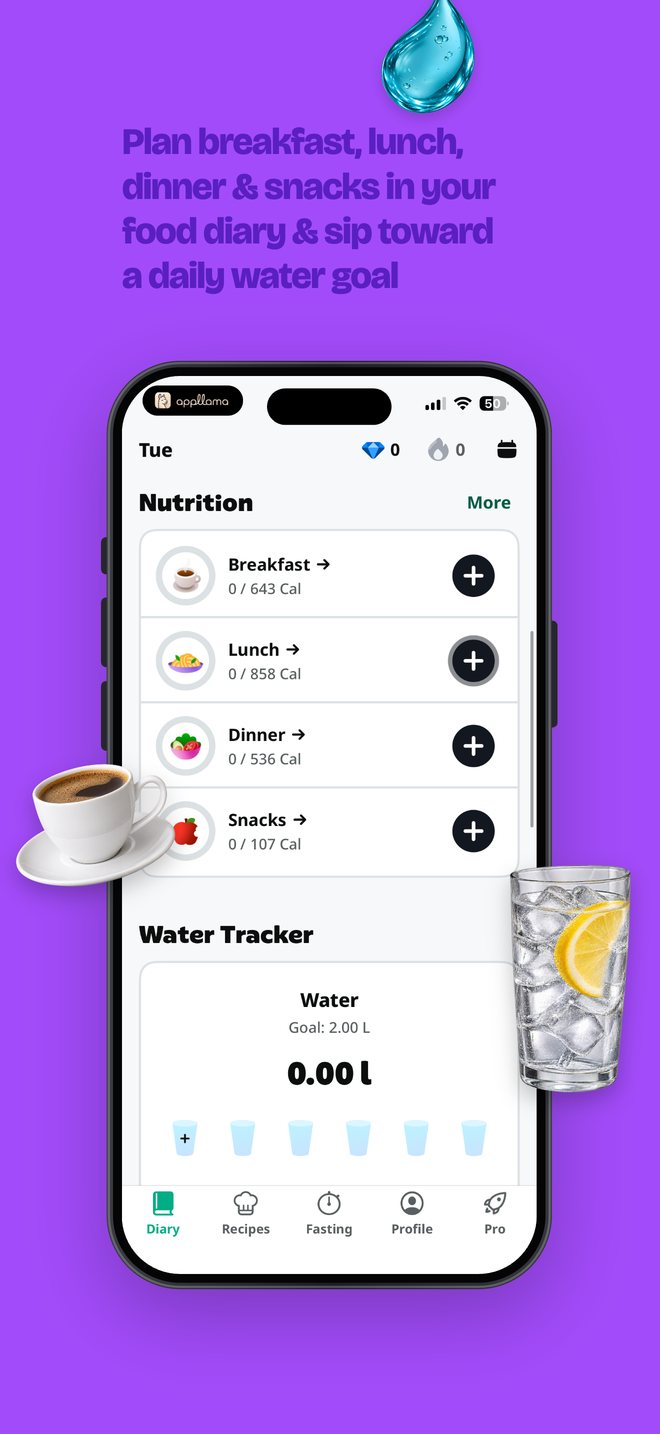
Yazio in the look of Gowalla
Each slide carries a full sentence on a solid color instead of a short headline, with stickers around the phone. The first one says what the calorie counter shows for today.
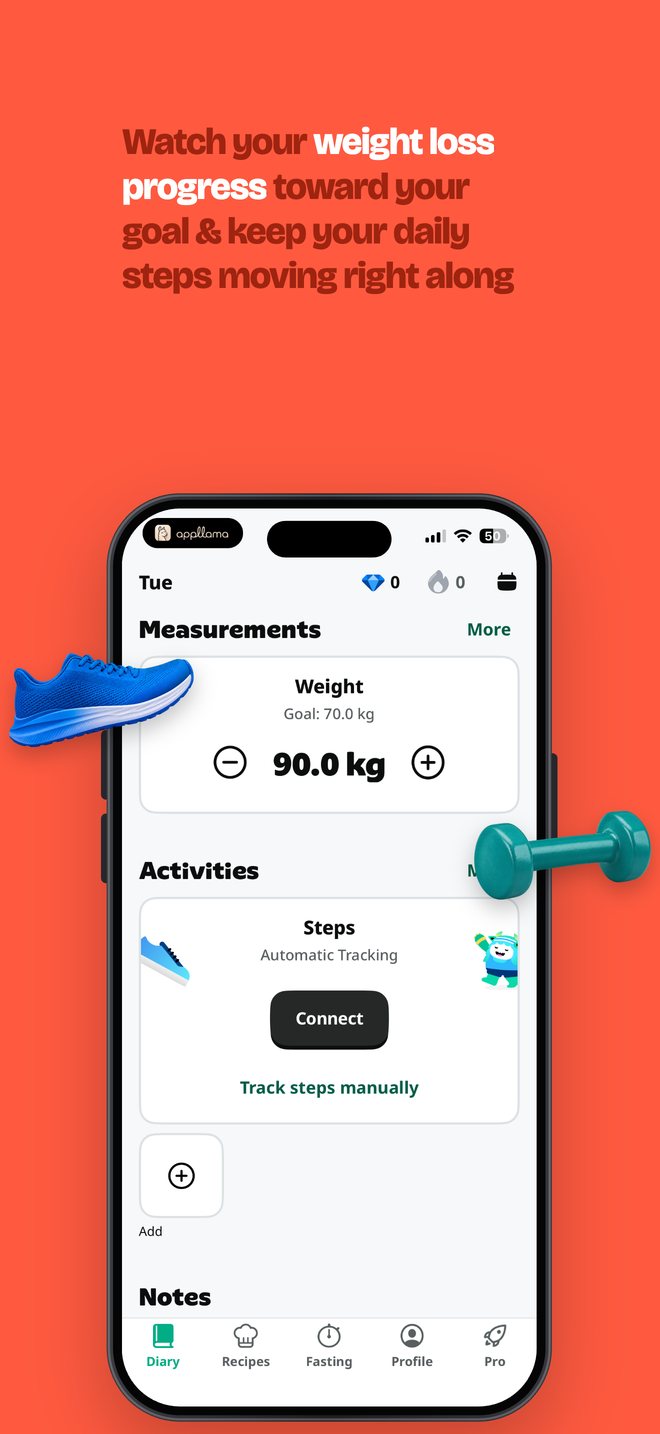
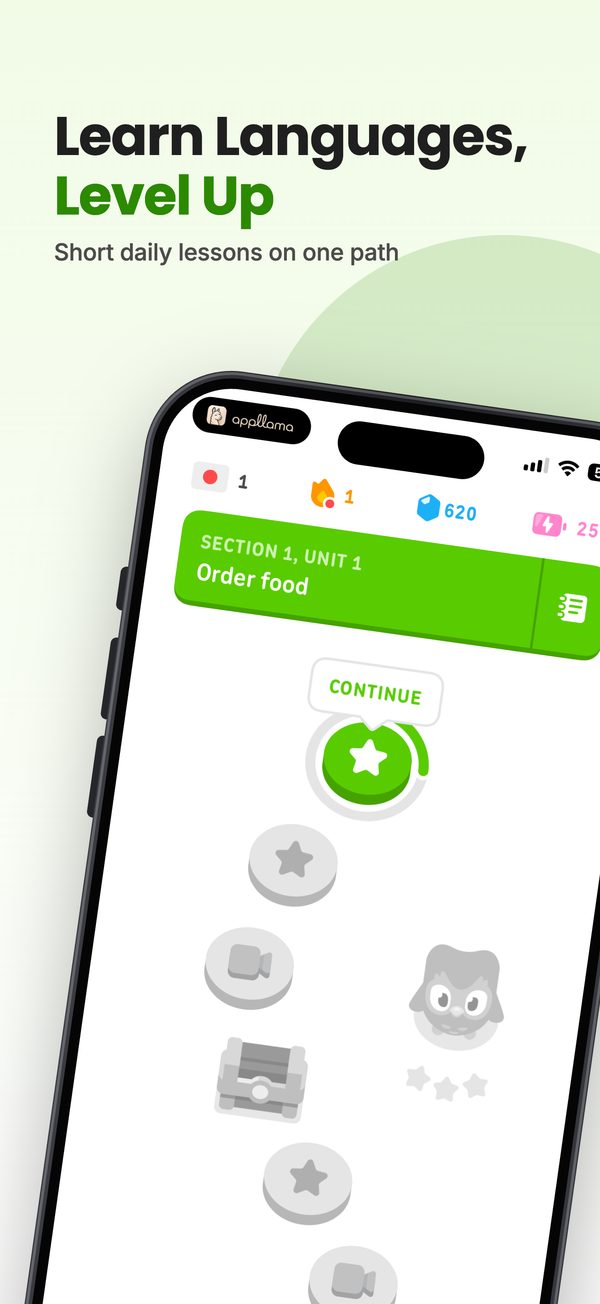
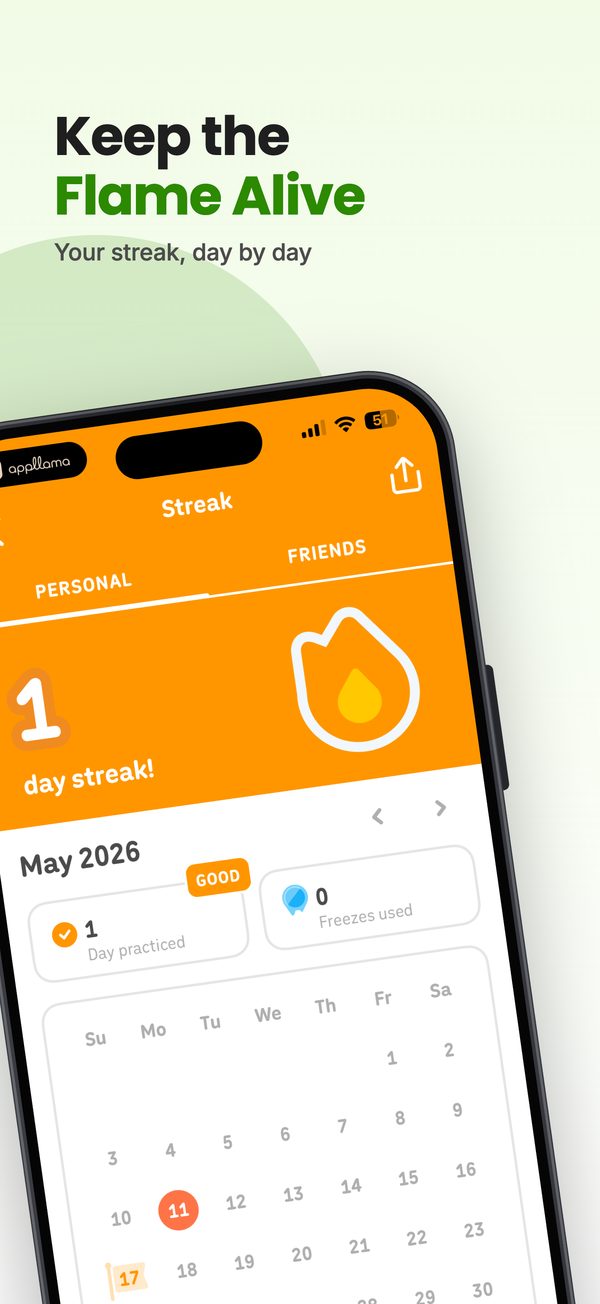
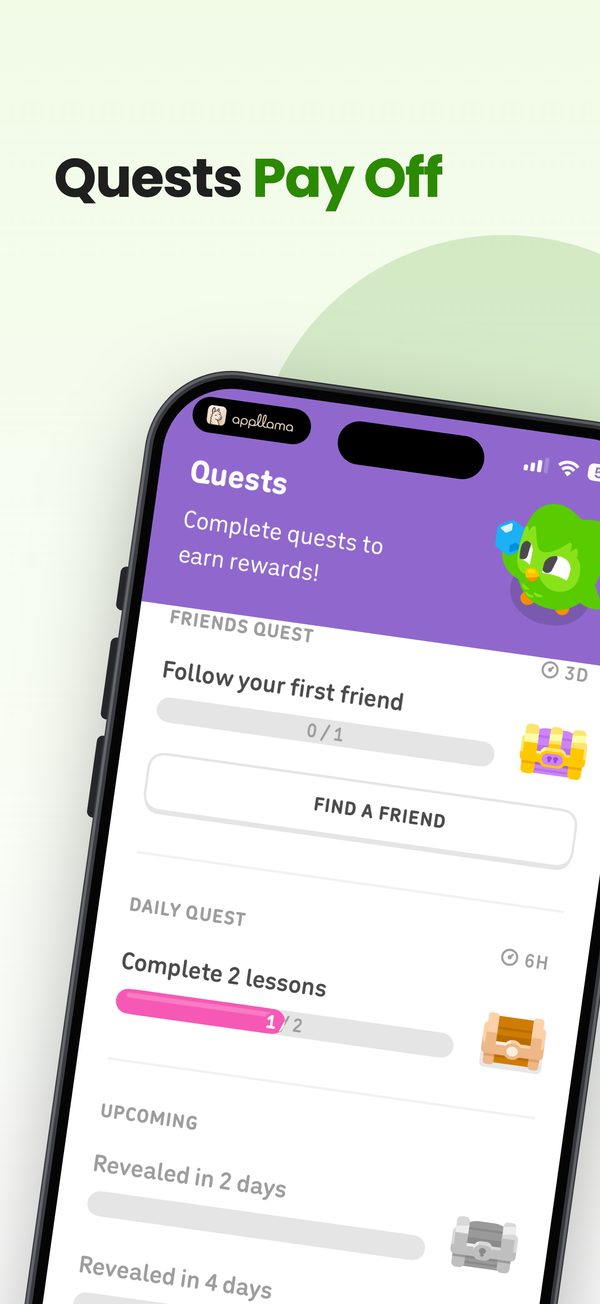
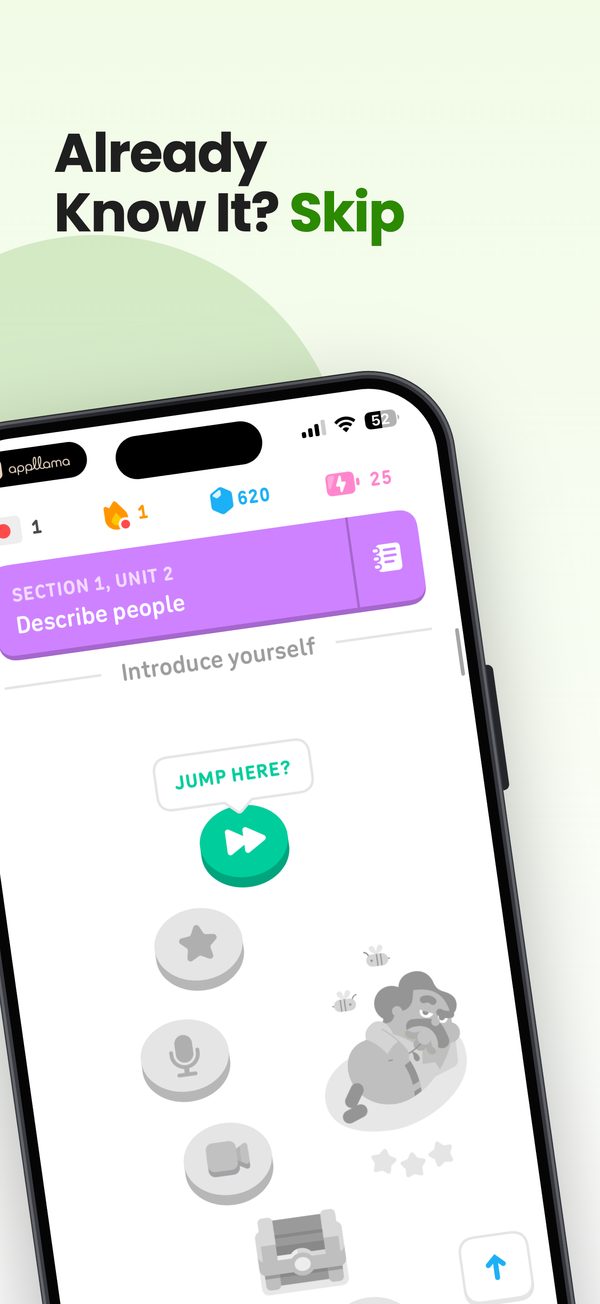
Duolingo in the Tilt template
A ready-made template with no photos: a large tilted phone and a two-line caption with the key words in green. The first slide states the benefit, learning languages and levelling up.
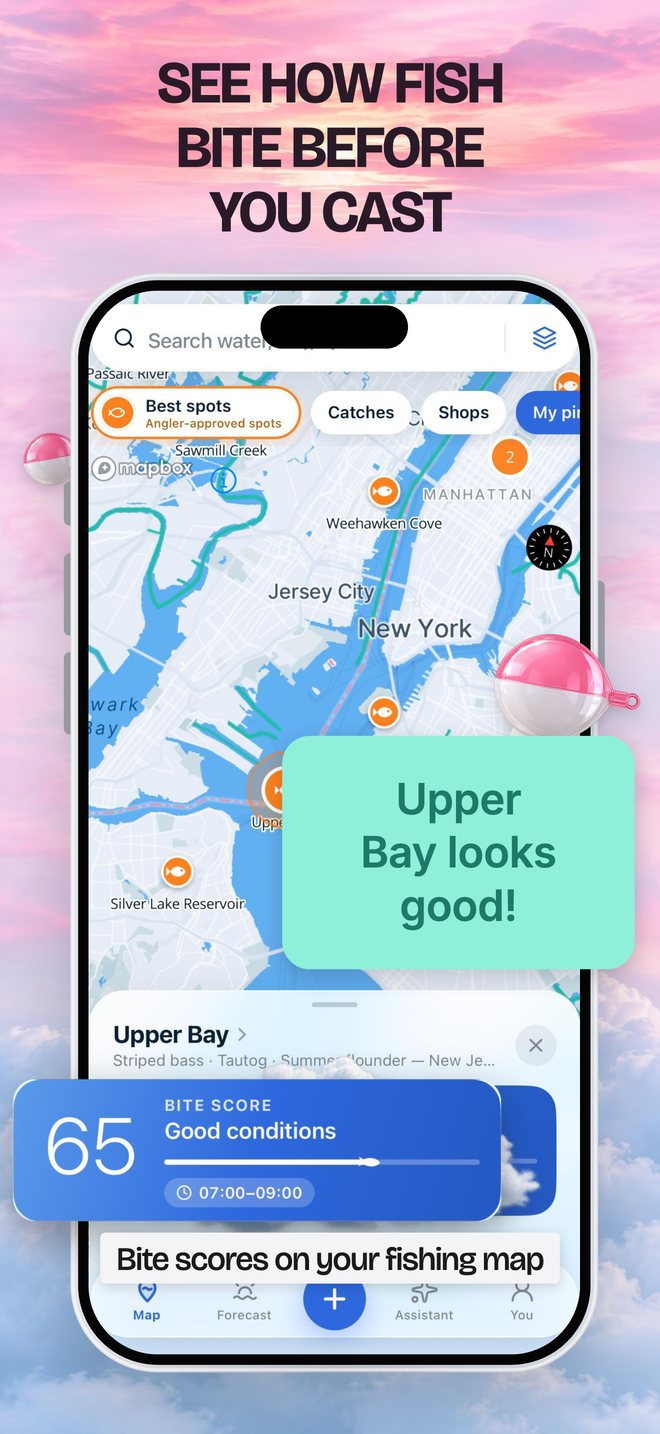
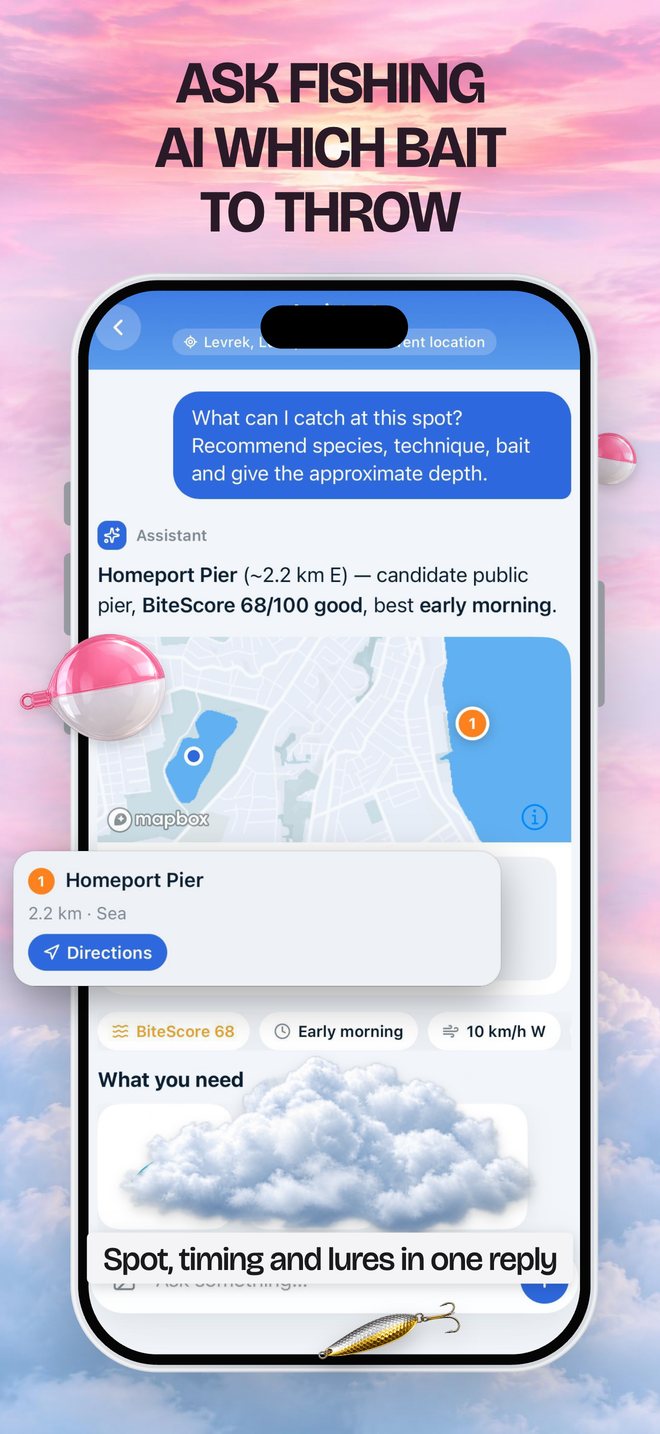
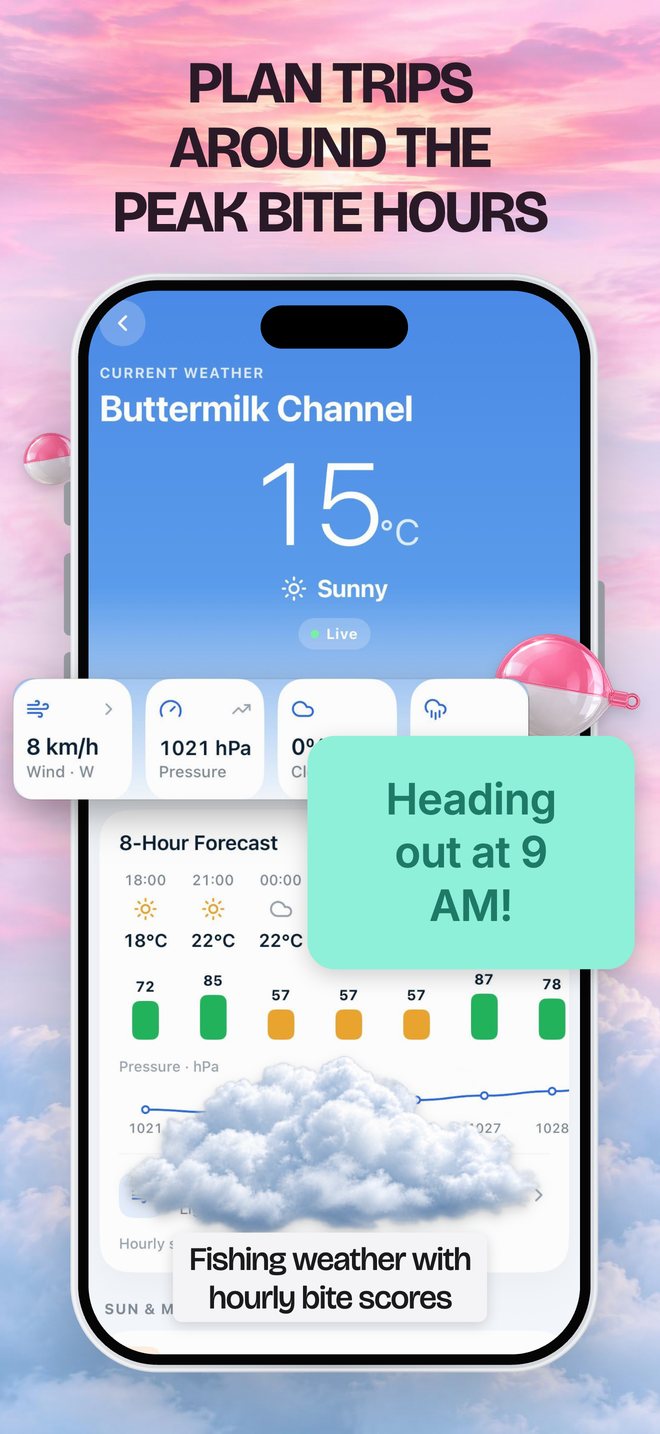
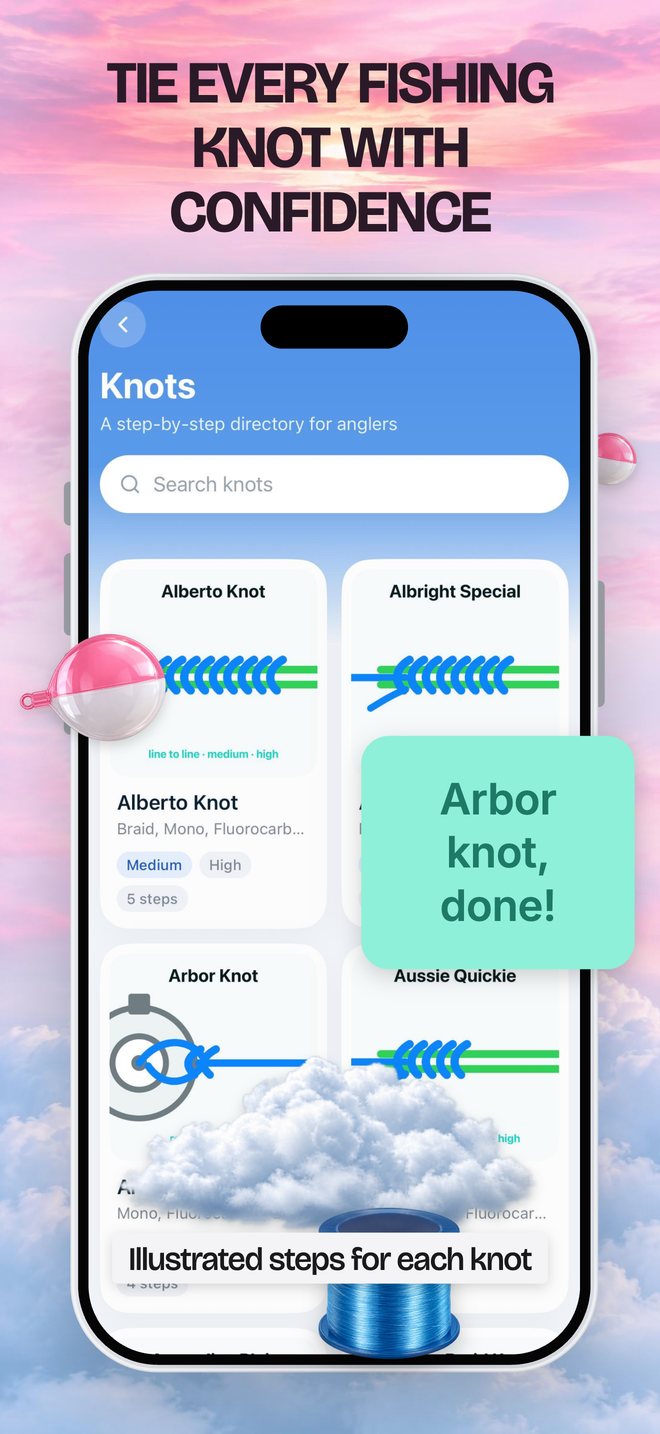
Fishing Club AI in the look of Picky AI
Capital-letter headlines over full-bleed photos, with the phone in the lower half. The first slide answers the question an angler has before a trip: how the fish are biting.
How the store examples were picked
The examples below were picked by a rule, so the selection is not a matter of our taste. For six categories we took the three apps at the top of Apple's US top-grossing chart on 28 November 2026 and saved the first three screenshots of each product page. The note under each app describes what its first screenshot does, in plain terms. The screenshots belong to the apps' owners and are shown here for reference.
Health and fitness app screenshot examples
The three fitness sets all open with a promise in large type, and two of them use photography before any interface.
LADDER Strength Training Plans
Ladder Technologies, Inc. · No. 1 top grossing in Health & Fitness
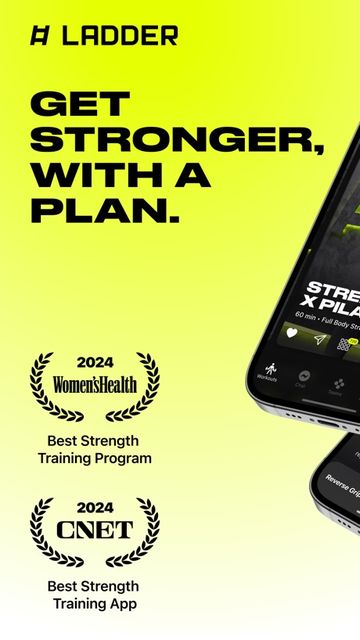
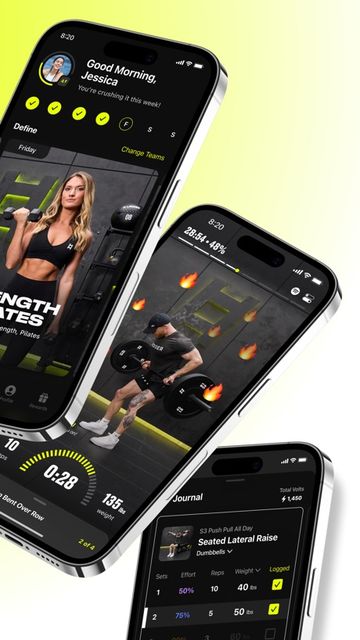
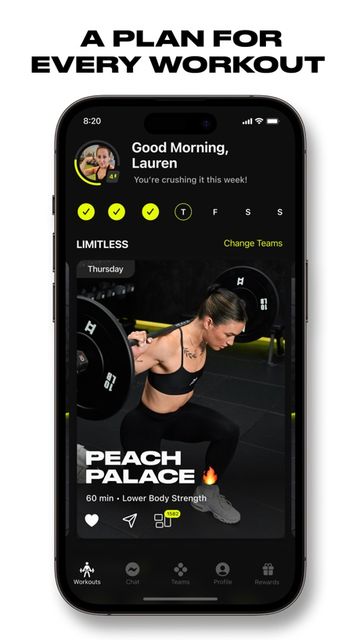
Opens with a short promise about getting stronger with a plan, in heavy capitals on neon yellow, with two award laurels under it. The tilted phones run past the edge into the second screenshot, so the first two read as one image.
MyFitnessPal: Calorie Counter
MyFitnessPal, Inc. · No. 2 top grossing in Health & Fitness
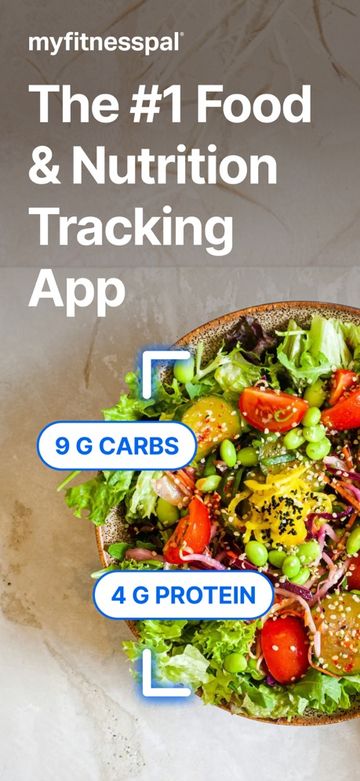
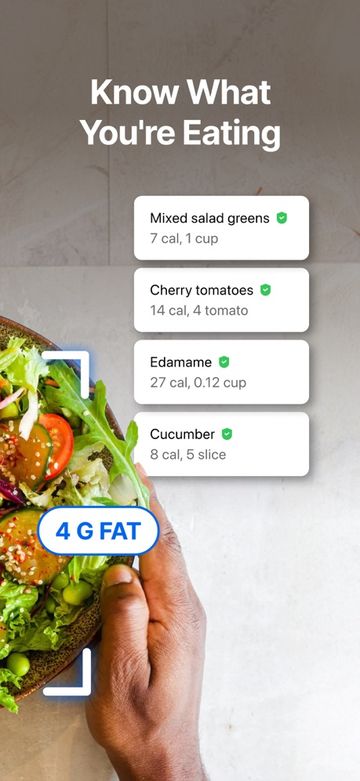
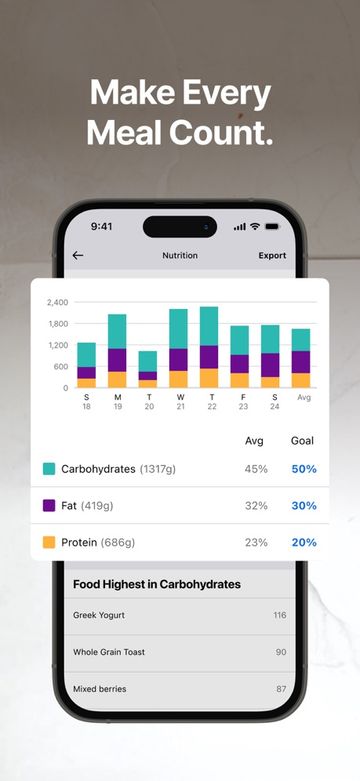
Leads with a claim about being the top food and nutrition tracker, over a photo of a salad tagged with its carbs, protein and fat. The photo continues into the second screenshot, and a phone frame only appears in the third.
Flo Cycle & Period Tracker
FLO HEALTH UK LIMITED · No. 3 top grossing in Health & Fitness
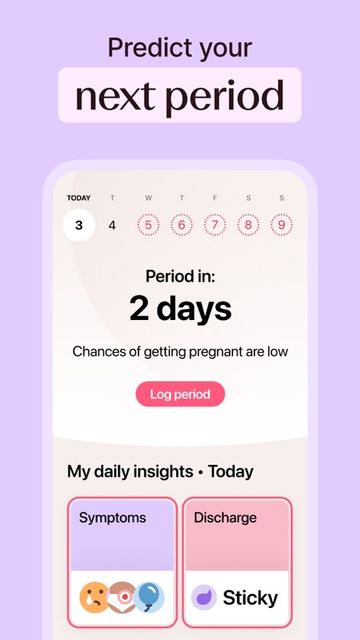
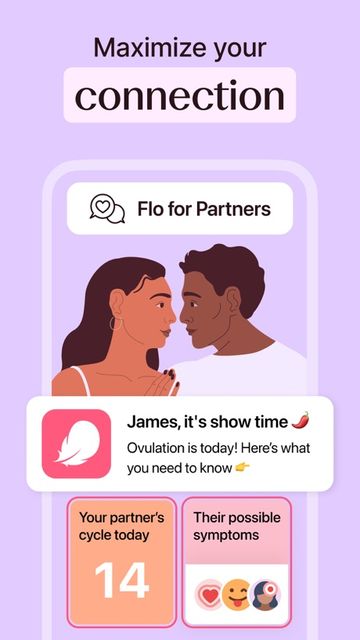
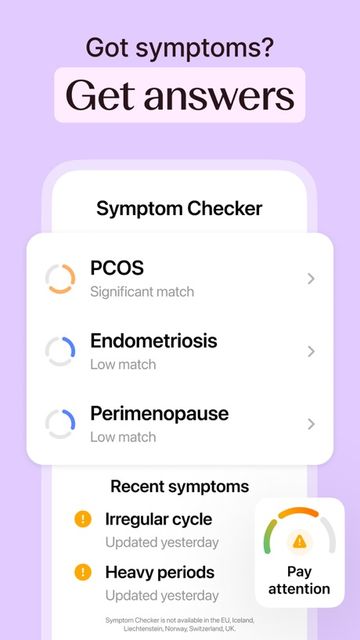
A two-line headline about predicting the next period, with the second line set in a highlighted pill, above a phone that shows the countdown in days. All three screenshots repeat that structure on lilac.
Finance app screenshot examples
The finance sets lead with numbers: a count of users, a row of statistics, a discount.

TradingView: Track All Markets
TradingView, Inc. · No. 1 top grossing in Finance
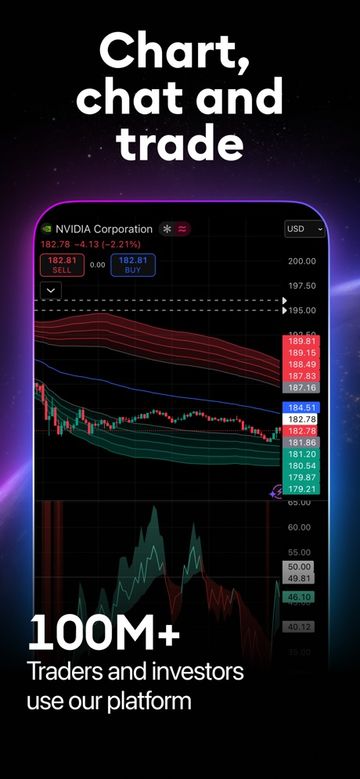
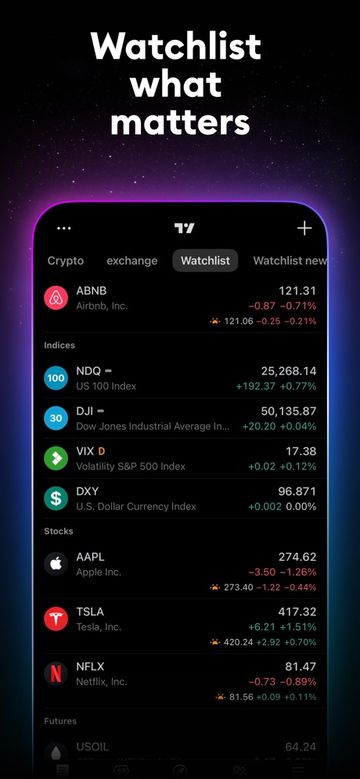
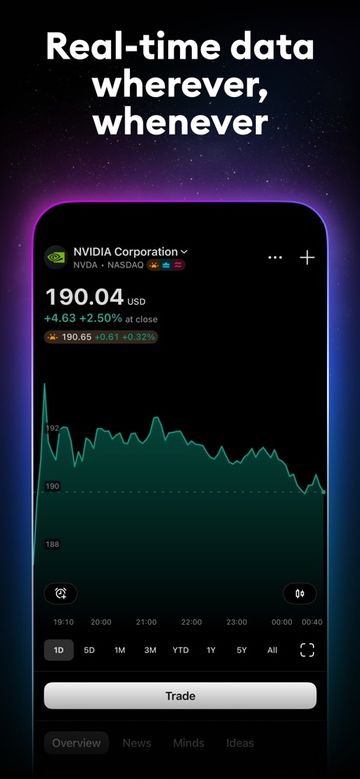
Three verbs as the headline on black, a neon price chart behind the phone, and a line at the bottom about how many traders use the platform. The dark background matches the app's own dark interface.

MileIQ: Mileage Tracker & Log
MileIQ Inc. · No. 2 top grossing in Finance
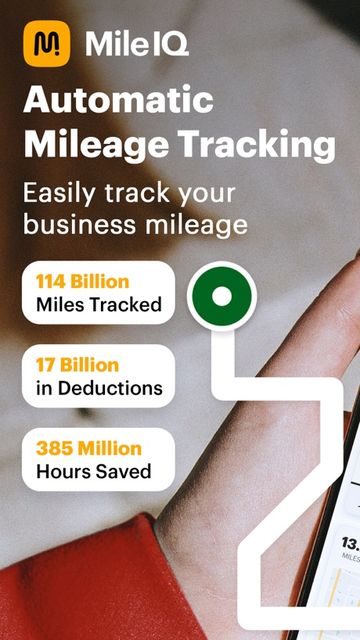
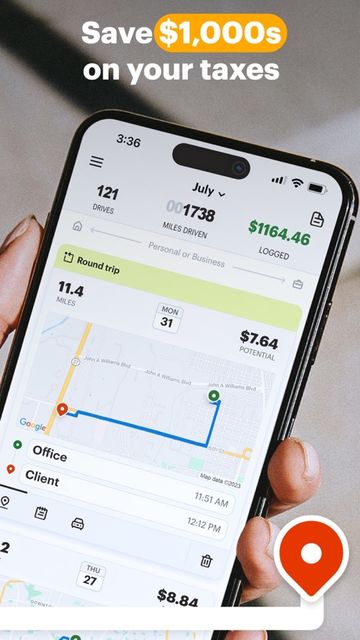
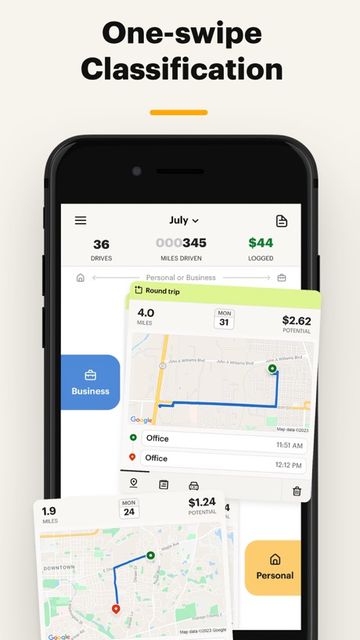
Names the feature, automatic mileage tracking, and backs it with three statistics on chips. A hand holding the phone runs across into the second screenshot, which turns to tax savings.

Seeking Alpha: News & Analysis
Seeking Alpha Ltd. · No. 3 top grossing in Finance
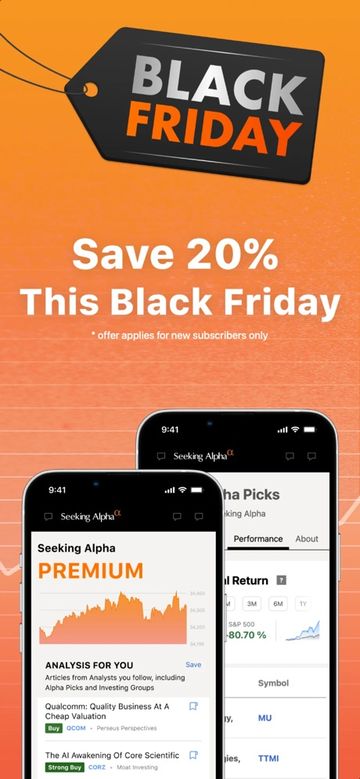
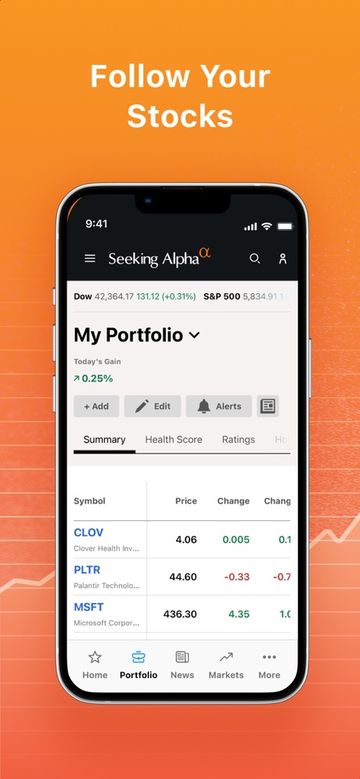
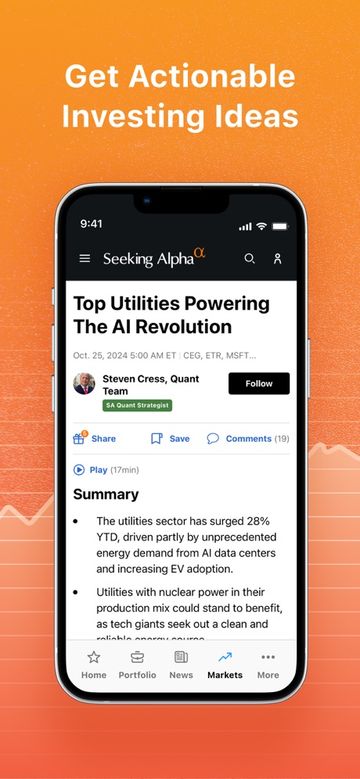
The first screenshot is a seasonal offer, a Black Friday discount, on bright orange with two phones under it. The product itself starts in the second screenshot.
Productivity app screenshot examples
The three productivity apps are the quietest of the group, with small captions, a lot of interface and almost no decoration.
ChatGPT
OpenAI OpCo, LLC · No. 1 top grossing in Productivity
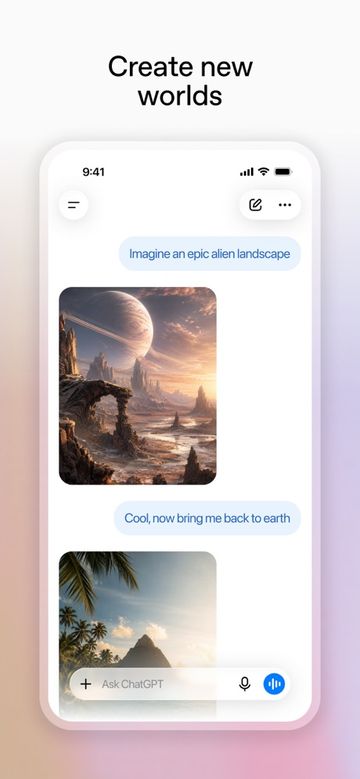
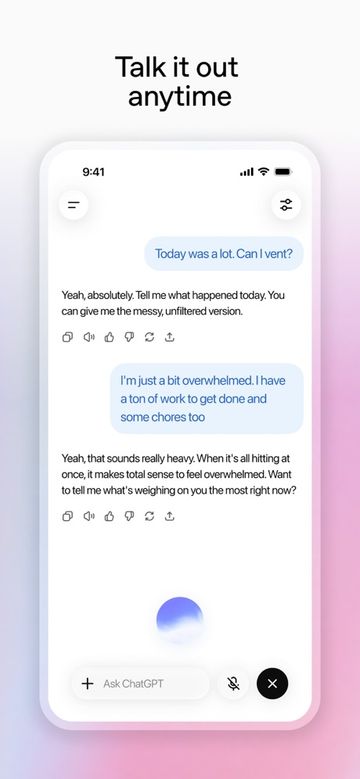
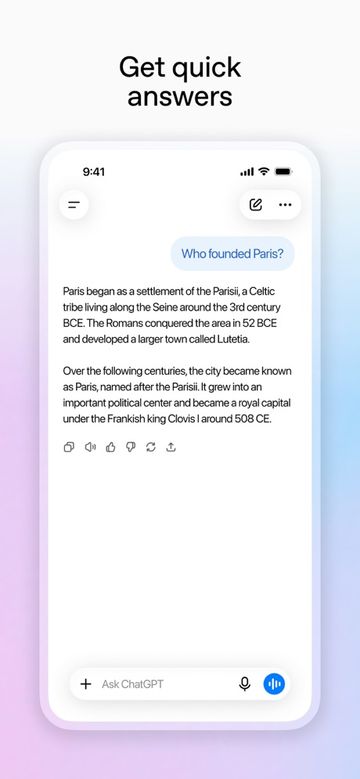
A three-word caption in small type above a phone showing a chat with generated images. The interface takes most of the space, and each screenshot names one thing you can do.

Claude by Anthropic
Anthropic PBC · No. 2 top grossing in Productivity
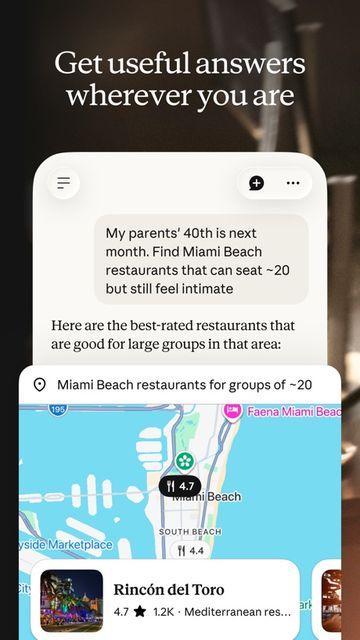
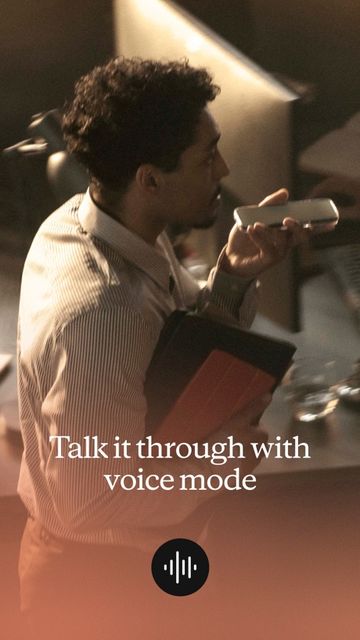
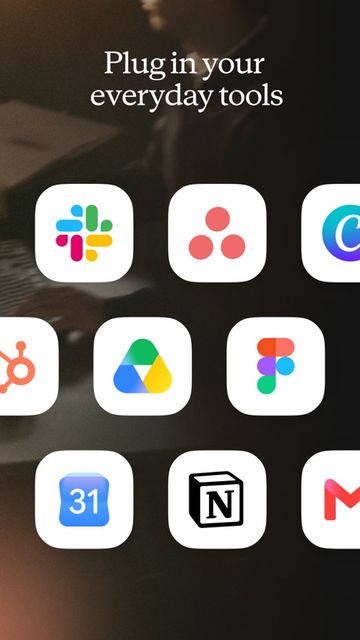
A serif headline about getting useful answers anywhere, on a dark warm background, with the answer shown as a cropped card instead of a full phone. The second screenshot is a full-bleed photo for voice mode.
Gmail - Email by Google
Google LLC · No. 3 top grossing in Productivity
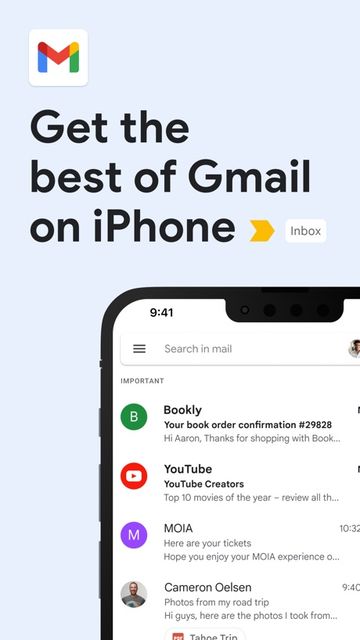
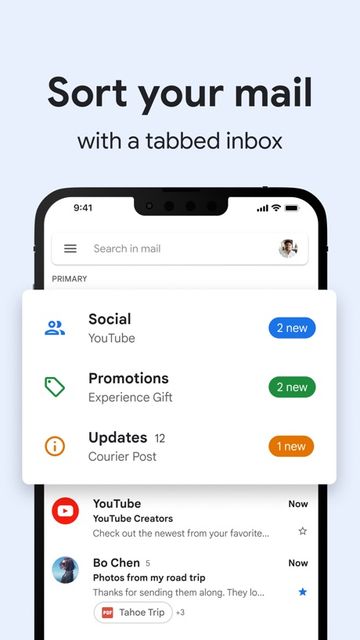
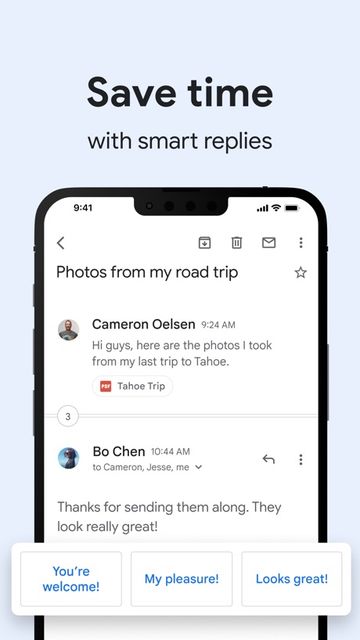
The logo, then a large left-aligned headline about the best of Gmail on iPhone, with the inbox cropped by the bottom edge. The next two screenshots each name one feature in two lines.
Travel app screenshot examples
The travel sets sell trust and brand before features, with awards, press logos and a famous wordmark on the first screenshot.
My Disney Experience
Disney Electronic Content, Inc. · No. 1 top grossing in Travel
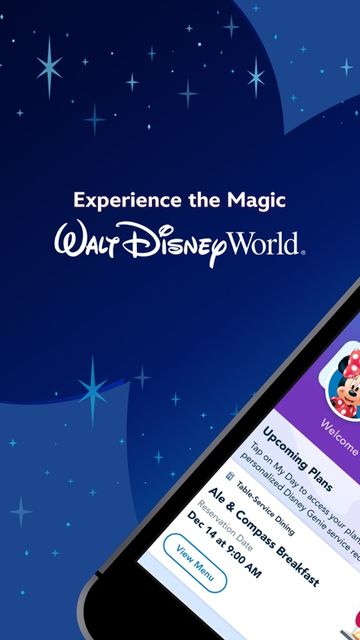
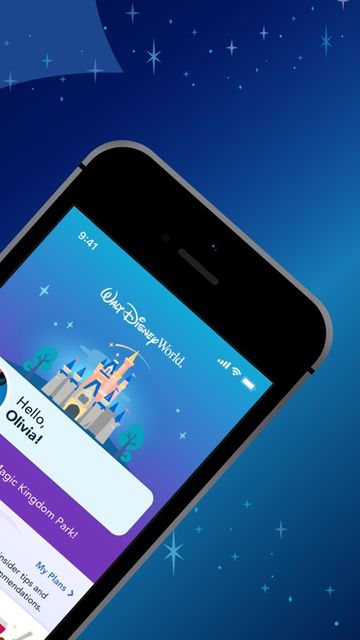
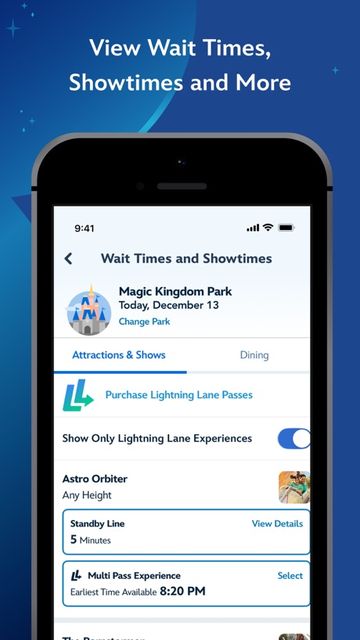
Brand first: the Walt Disney World wordmark and a short line about the magic, on a starry blue background. A tilted phone runs across into the second screenshot.
Flighty – Live Flight Tracker
Flighty LLC · No. 2 top grossing in Travel
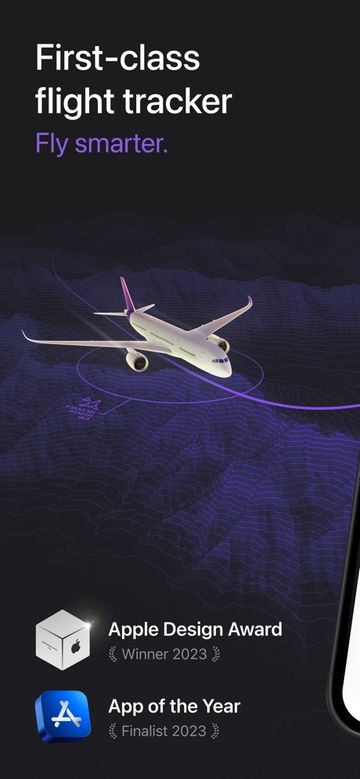
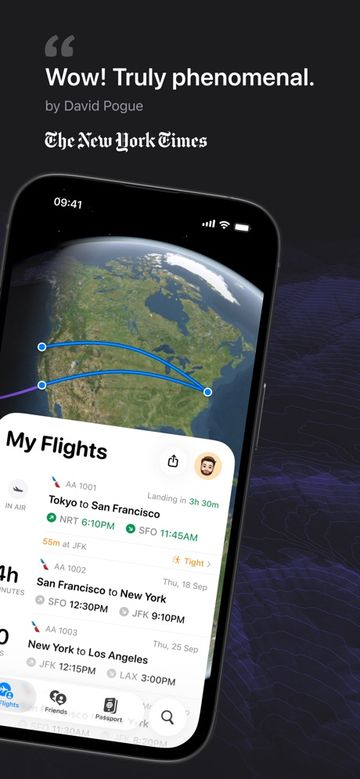
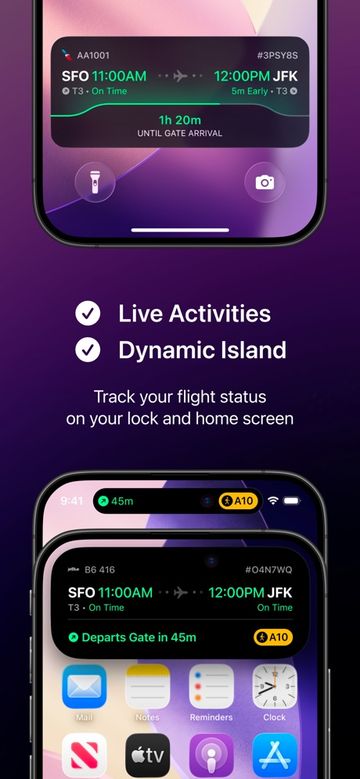
A short positioning line and a tagline, a plane over a dark globe, and two award badges at the bottom. The second screenshot opens with a press quote.

Flightradar24 | Flight Tracker
Flightradar24 AB · No. 3 top grossing in Travel
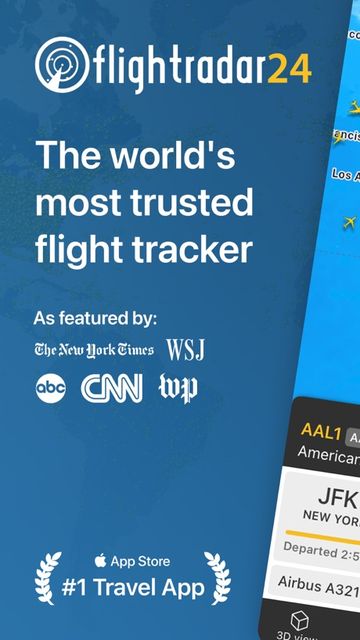
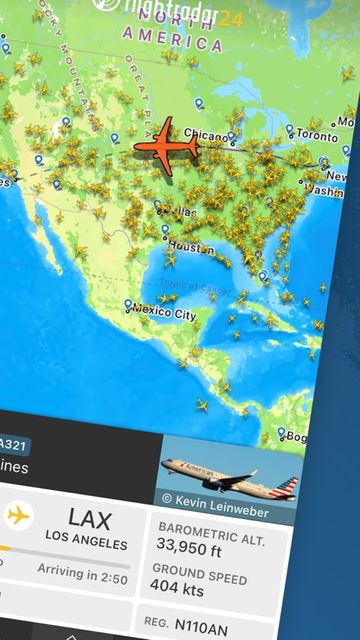
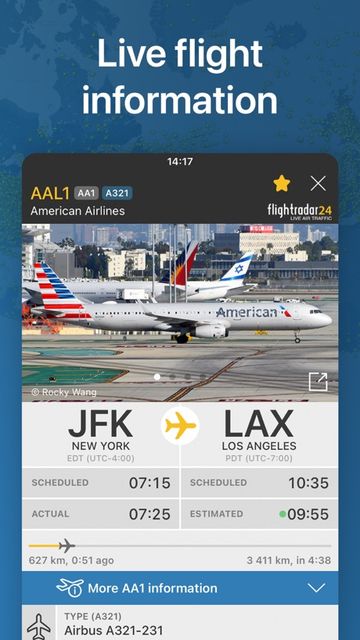
A trust claim as the headline, then the logos of news outlets that featured the app and a laurel for its chart position. A flight map continues across into the second screenshot.
Education app screenshot examples
The education sets differ most from each other: one starts with the interface, one with badges and one with only its name.

Duolingo: Learn Languages
Duolingo, Inc · No. 1 top grossing in Education
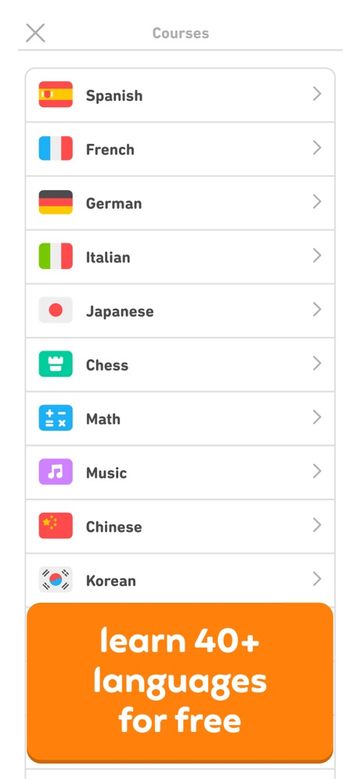
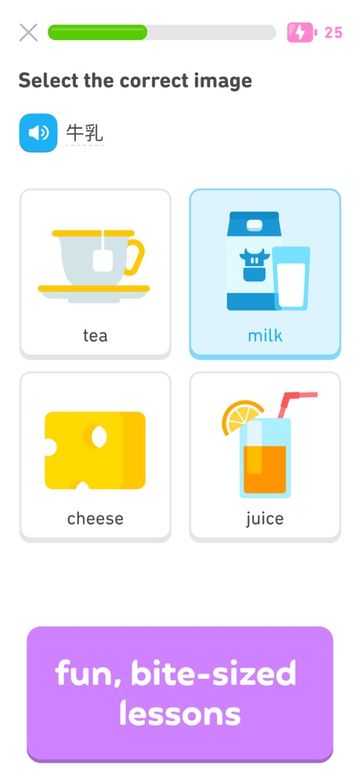
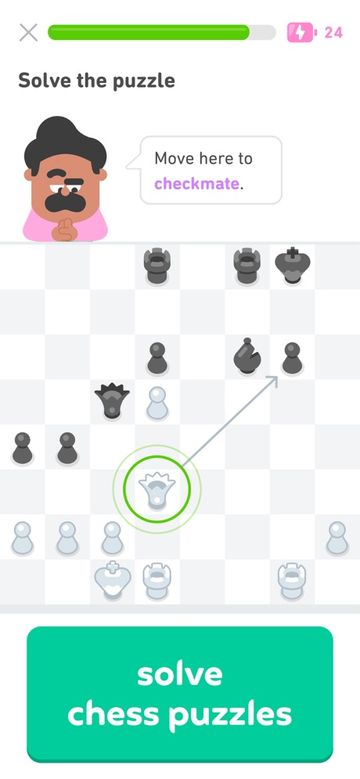
Interface first. The course list fills the screenshot and the caption sits in a colored block at the bottom, in lower case. Each screenshot uses a different block color.

Learna: Speak & Learn English
CODEWAY TECHNOLOGIES - FZCO · No. 2 top grossing in Education
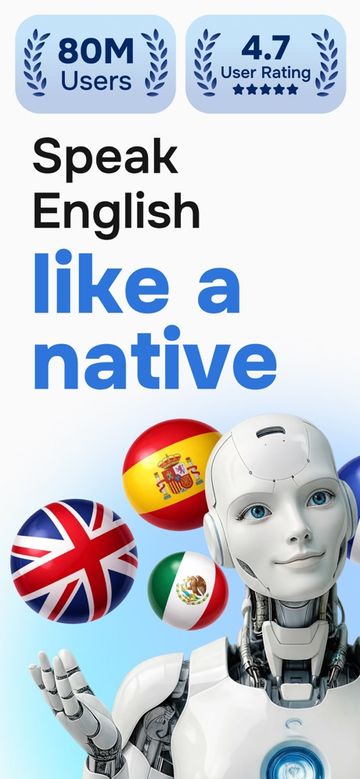
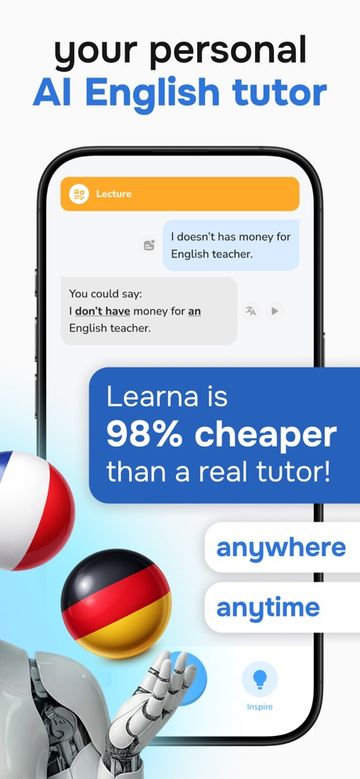
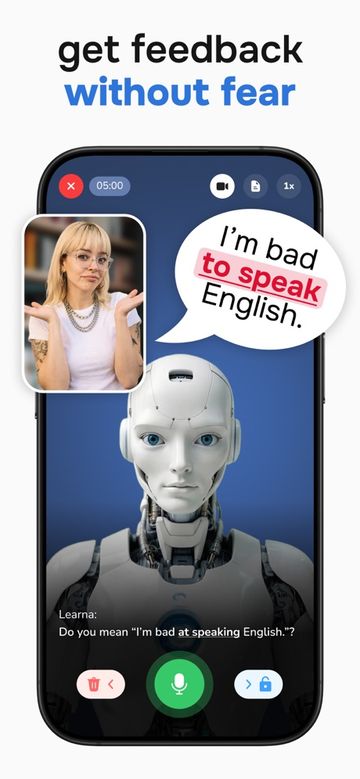
Two badges at the top, for the number of users and the rating, then a headline about speaking English like a native, with a robot character and flags.

Pimsleur | Language Learning
Simon & Schuster · No. 3 top grossing in Education
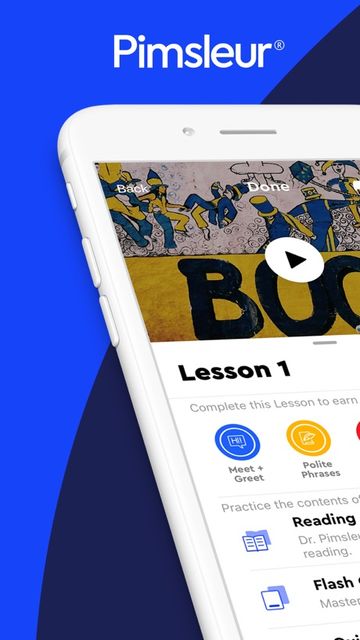
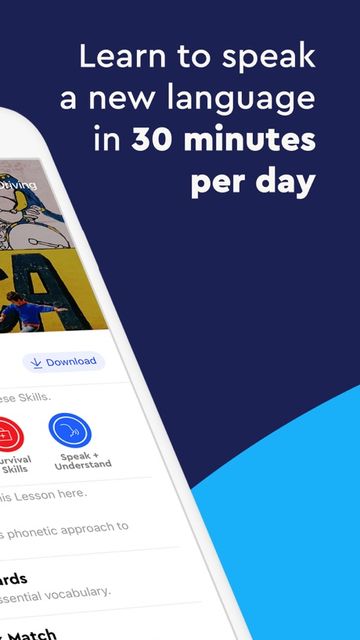
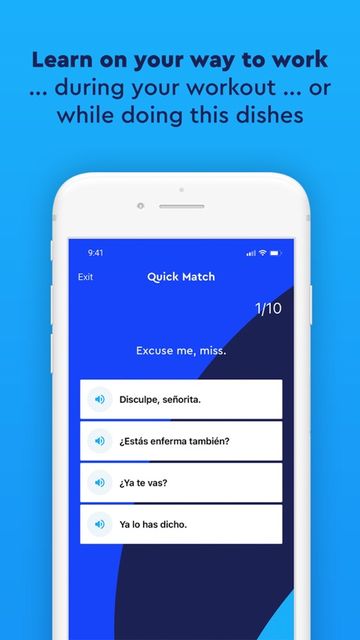
The first screenshot is the brand name alone, with a tilted phone that runs across into the second, where the promise appears: a new language in half an hour a day.
Food and drink app screenshot examples
The cooking apps put food photography inside or behind the phone, and one of them shows no interface at all on its first screenshot.

ReciMe: Recipes & Meal Planner
ReciMe Pty Ltd · No. 1 top grossing in Food & Drink
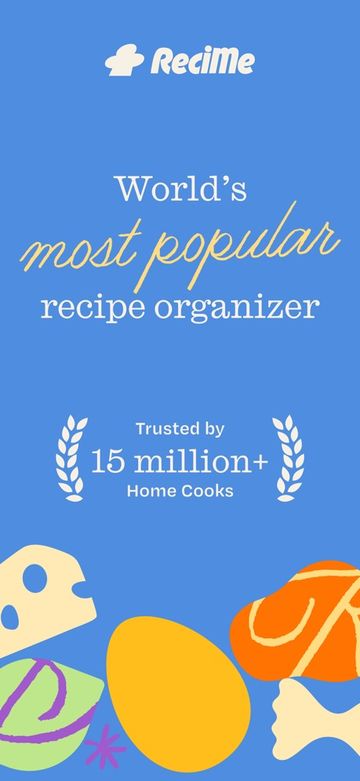
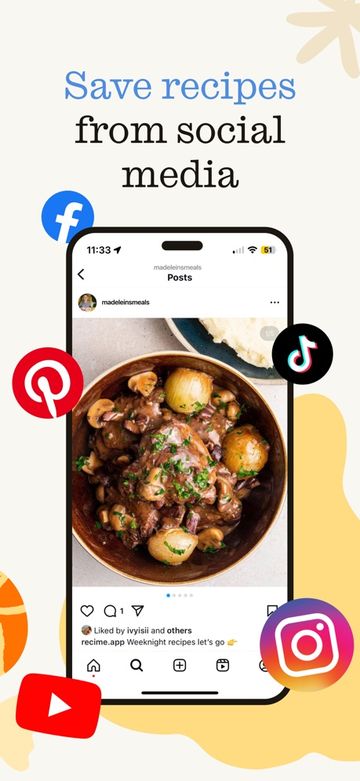
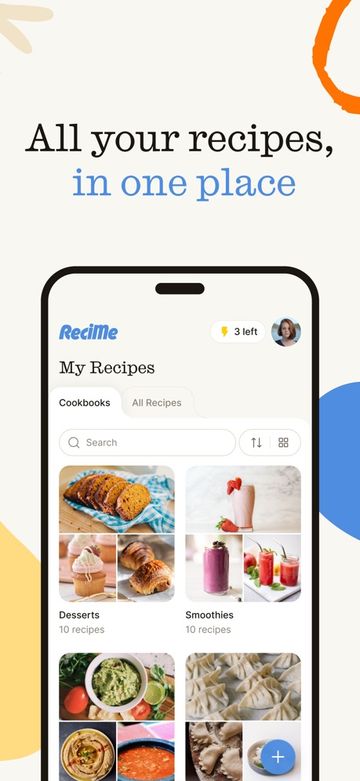
A superlative as the headline, set partly in script lettering on blue, with a laurel that states how many home cooks use it. No interface until the second screenshot.

NYT Cooking: Quick Tasty Meals
The New York Times Company · No. 2 top grossing in Food & Drink
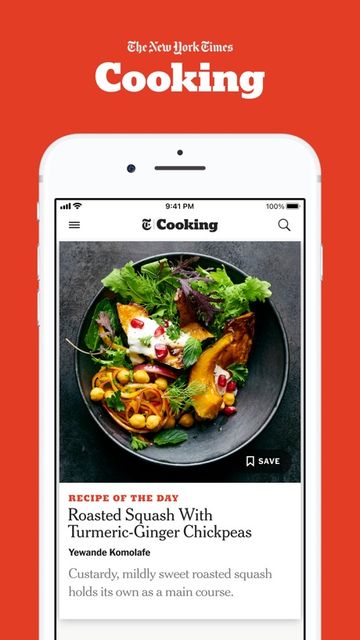
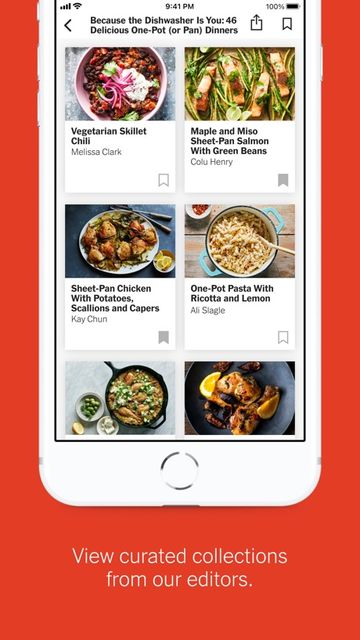
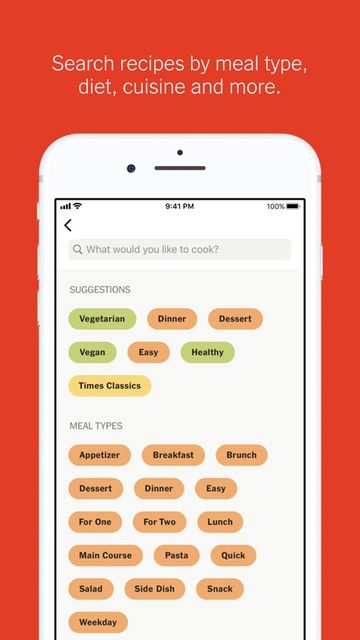
The Cooking wordmark on red above a phone with one large recipe photo. The brand is the whole message of the first screenshot, and captions start later in the set.

NeatEat - Meal Planner
Streamline Merch LLC · No. 3 top grossing in Food & Drink
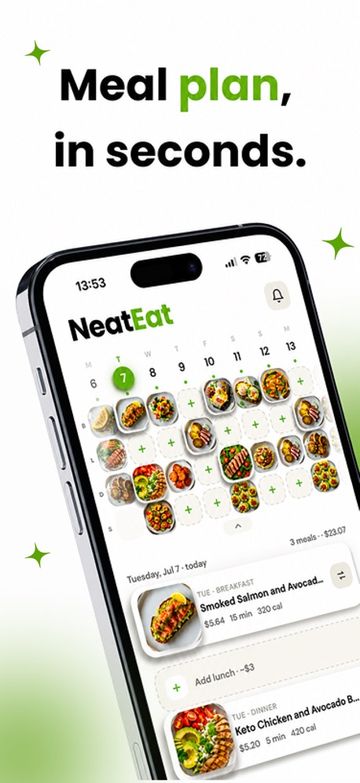
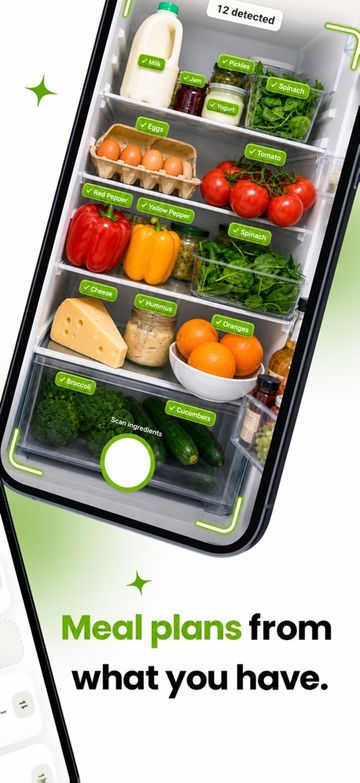
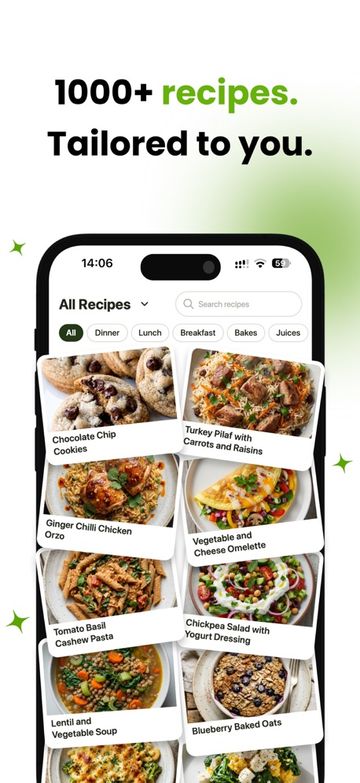
A short headline about planning meals in seconds, with one word in green, and a tilted phone that continues into the second screenshot, a photo of a fridge.
What these 18 sets have in common
A few patterns repeat across the 18 sets, and each one can be checked against the images above.
- Proof on the first screenshot. Seven sets put an award, a press mention or a number of users there: LADDER, TradingView, MileIQ, Flighty, Flightradar24, Learna and ReciMe.
- One image across two screenshots. At least six run a phone, a photo or a map from the first screenshot into the second: LADDER, MyFitnessPal, MileIQ, My Disney Experience, Flightradar24 and Pimsleur.
- Brand before feature. Three open with their name instead of a feature: My Disney Experience, Pimsleur and NYT Cooking.
- Interface first. Three let the interface carry the first screenshot with only a small caption: ChatGPT, Claude and Duolingo.
- A seasonal first slide. One, Seeking Alpha, gives its first screenshot to a time-limited offer.
Copy a look you like
Any of these looks can be rebuilt with your own screens in appscreenshot.io. You pick the app, and the editor measures its set: where each headline sits, how the phone is placed, the colors and the small details. It then rebuilds that layout with your screens, new captions and newly made photos. If you would rather start without a reference, the six ready-made templates cost no credits. To try either route, open the editor.
What these examples do not tell you
The store examples are a small, dated sample, and the notes only describe what is visible.
- A place on the top-grossing chart says nothing about how good the screenshots are. We used the chart so that the choice is not ours.
- Each set is a snapshot: three screenshots, the US store, one day. Apps change their screenshots often, so the live product page can look different.
- We do not know how these screenshots perform for their apps, and we make no claim that a pattern will bring you more installs.
- A copied look reuses the layout and style only. The other app's photos, artwork, logos and words are never reused.
- The store screenshots, names and icons belong to the apps' owners. appscreenshot.io is not affiliated with them and did not make their screenshots. To have one removed, write to hello@appscreenshot.io.
Questions and answers
How were these App Store screenshot examples chosen?
By rule, not by taste: the three apps at the top of Apple's US top-grossing chart in each of six categories on 28 November 2026. For each app the page shows the first three screenshots of its App Store product page.
What should the first App Store screenshot show?
These 18 sets give three different answers. Seven lead with proof such as an award, a press mention or a number of users. Three lead with the brand. The rest lead with a benefit next to the interface. Which one works for your app is something only a test on your own product page can show.
Can I copy the look of one of these sets?
Yes. In the editor, pick the app from the catalog of popular apps or search the App Store for it, and the set is rebuilt with your own screens, new captions and newly made photos. A copy costs 500 credits. The other app's photos, artwork, logos and words are never reused.
Where can I see more examples?
After you sign in, the editor has a catalog of 690 popular apps in 23 categories from Apple's US top charts, each with its screenshots. Browsing it costs no credits.
Are these the best App Store screenshots?
They are the screenshots of the highest-grossing apps in each category, which is not the same as the best designed. Use them as a reference for what large apps do, not as a ranking.
See a look you like? Rebuild it with your own screens.
Copy a lookPublished by the appscreenshot.io Team. Found a mistake? Write to hello@appscreenshot.io.